
InfraMIDI Equator (tm) Specification Sheet
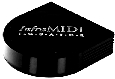
InfraMIDI Equator Studio Model II
For Recording Studio and Desktop Presentation Automation using MIDI to operate Infrared Remote-Controlled Media such as VCRs, Camcorders, DAT decks, LaserDisc Players, as well as newer media formats MiniDisc and Digital Compact Cassette (DCC).
INPUTS & OUTPUTS
DC power input jack - Power adaptor included.
PowerMIDI (tm) input jack accepts both power and MIDI data through the 7-pin MIDI-compatible jack. Also accepts standard 5-pin
MIDI cables.
PowerMIDI (tm) output jack normally acts as a "THRU" port, echoing MIDI data supplied to its input, but automatically switches to an "OUT" port when necessary. Allows power throughput when used with a PowerMIDI cable and hi-current power supply required for two or more units.
4 hi-power Infrared (IR) LEDs generate strong signals which bounce off of walls and ceilings.
INFRARED REMOTE CONTROL COMMANDS
Recording (Sampling)
Quantity: 120 individual IR codes can be learned by the Equator
Length: variable depending upon brand of remote control
Looping: automatic or one-shot, based on length of recorded command
Storage: compressed format can be saved to computer or sequence
Transfer: to and from computer or sequencer via MIDI System Exclusive commands
Playback
Quantity: 120 individual IR codes are available for playback
Playback Queue: Up to 100 IR codes can be cued for sequential playback
Playback Duration: determined by Note-On / Note-Off duration or minimum as determined by the method used to record the IR code.
Looping: determined by method used to record IR code
OPERATING THE INFRAMIDI EQUATOR
With MIDI
Recording:
Allows infrared (IR) codes to be recorded while the sustain pedal footswitch, or equivalent, is depressed. Each IR code is assigned to a different note.
Playback:
The InfraMIDI Equator (tm) plays back the recorded IR codes in response to notes played from any attached MIDI device.
With System Exclusive (sysex) Commands
Loading and saving IR codes to a computer or sequencer
Triggering a quantity of IR codes listed within the sysex command itself
Altering System functions to customize the Equator
Within Record Mode
Undo:
Allows last infrared (IR) code to be restored to its associated MIDI note.
Enable/Disable:
Allows selected infrared (IR) code to be Enabled or Disabled.
Sysex Send IR code:
Transmits selected infrared (IR) code to MIDI equipped computer or sequencer.
With Control Panel
Animated Menu Selection via multi-function alpha/icon/digital-display.
Change MIDI Channel, Device ID, IRIS threshold, Dark Timer, & Dark Space.
Up and Down switches allows selection of Page and Data settings from display.
Unique display animates to show Page selected.
Unique display flickers to show Data on a selected Page.
Unique display shows current IR code, flashing to indicate actual data, when playing.
ACCESSORIES
Standard
12 VDC 500 mA power supply
Operating Manual
Optional
RECset (tm) is a software remote-control construction set. It allows the user to build sequences of commands and assign them to buttons on the computer's screen. These buttons can be triggered directly, by timed operation, or by another application running on the computer.
Inquire for pricing and availability as well as computer platforms supported. Some features may be unavailable depending on computer.
FOR YOUR INFORMATION
Physical
Dimensions:
6" (15.24cm) wide x 6" (15.24cm) deep x 1.75" (4.45 cm) high
Weight: .78 pounds (357 grams)
Limited Warranty
90 Days parts and labor
Price
InfraMIDI Equator (tm) Studio Model II - $495.00 U.S. Dollars
Please call (310) 715-1537 for traditional voice information requests or to purchase an InfraMIDI Equator (tm).
Prices and specifications subject to change without notice.
©2001 Epigraf
13623 S. Berendo Ave.
Gardena, CA 90247-2023
Tell us what you think! Send us an E-Mail message at
epigraf@epigraf.com. Thanks for stopping by...
Home Cover Sheet | Specifications | Media Magic
Glossary | Archives | Protocols | Analogies
Web site contents copyright 2001 Epigraf
Last Updated: July 18, 2001